
Introduction
In Pakistan, mobile numbers are tightly linked to a person’s identity through the mandatory SIM registration system. Every SIM card must be verified using a valid CNIC and biometric authentication, which means mobile numbers are directly associated with real individuals. Because of this, many people want to know how to check SIM owner details — whether for security, fraud prevention, unknown calls, identity concerns, or simple verification.
This guide explains legitimate, safe, and effective ways to find SIM owner information in Pakistan. You’ll learn how to check the number of SIMs registered under your CNIC, how to verify a number’s ownership through customer service, how online tools work, and what their limitations are. We will also cover legal considerations, risks, and ethical guidelines to ensure you stay protected while following the law. By the end, you’ll understand how SIM registration works and the safest ways to access ownership details.
How to Find SIM Owner Details in Pakistan
Pakistan’s SIM registration system is governed by PTA (Pakistan Telecommunication Authority). SIM owner details generally include:
-
Registered name
-
CNIC number
-
Mobile network
-
Number of SIMs linked
-
Original activation status
Some of this information is publicly accessible through official channels, while more sensitive data requires authorized verification.
Below are the most accurate and lawful methods.
1. PTA 668 SIM Verification System (For Your Own CNIC)
The most trusted and government-regulated method is the PTA 668 system. This service lets you check all SIMs registered under your own CNIC. It does not reveal someone else’s personal details, but it is extremely helpful if:
-
You suspect unauthorized SIMs on your CNIC
-
You’ve lost track of old SIMs
-
You want to ensure your ID is not being misused
How it works:
-
Open your SMS application
-
Type your 13-digit CNIC (without dashes)
-
Send it to 668
-
You will receive a response listing the number of active SIMs on each network
This is the safest and most official method available.
2. Telecom Customer Service (For Ownership Confirmation)
Each mobile network in Pakistan offers the ability to confirm SIM owner details under privacy rules. While they cannot freely disclose someone’s private information, they can verify ownership if:
-
You provide the suspected number
-
You request confirmation of whether the SIM belongs to you
-
You report suspicious activity
-
You lodge a complaint about misuse
Customer support channels include:
-
Jazz helpline
-
Zong helpline
-
Ufone helpline
-
Telenor helpline
Through these channels, you may receive:
-
Confirmation of whether the number is legally registered
-
Owner name (in some cases)
-
Company-verified support in case of fraud
-
Help with blocking unauthorized SIMs under your CNIC
This method is often used for legal or personal verification.
3. Biometric Verification System (BVS) Checks
If you visit a mobile franchise or customer care center in person, you can request more detailed checks. Biometric verification centers have authorized access to:
-
SIM registration history
-
CNIC ownership
-
Number of SIMs active on your ID
You can use this method to:
-
Verify your own SIM
-
Remove unauthorized SIMs
-
Transfer SIM ownership
-
Resolve identity misuse cases
Franchises cannot reveal someone else’s private data without legal grounds, but they can confirm authenticity or submit complaints.
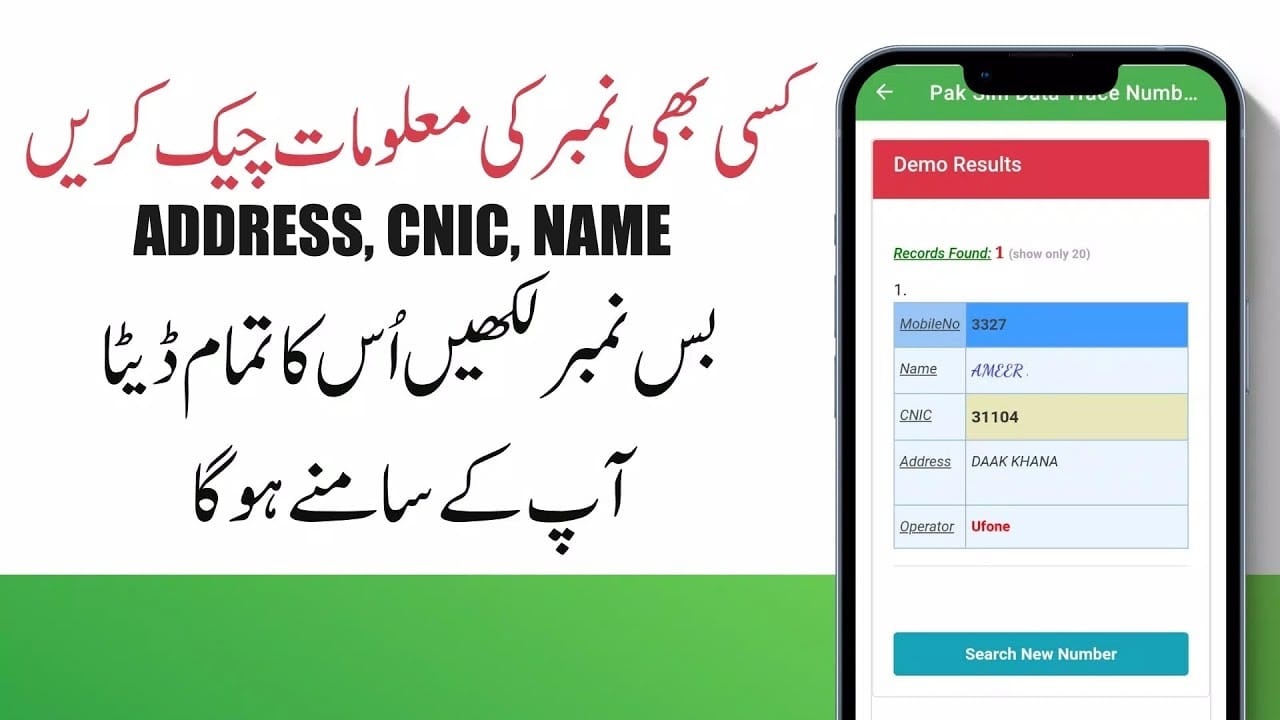
4. Online SIM Ownership Tools (Use Carefully)
A number of online tools claim to show SIM owner details by entering a mobile number or CNIC. These tools often provide:
-
Name
-
CNIC
-
Network information
-
Activation date
-
Sometimes address or district
While these platforms are popular, they must be used carefully for three reasons:
-
Accuracy varies — Many tools use old or outdated databases.
-
Privacy concerns — Some sources may use data that was leaked or collected unofficially.
-
Legality — Basic information may be fine, but detailed data should never be misused.
If you choose to use such services, avoid entering your own sensitive information and use them only for harmless verification.
5. NADRA Identity Verification (For Serious Cases)
If you have a serious issue such as:
-
Identity theft
-
Someone registering SIMs under your CNIC
-
Fraud or blackmail
-
Stalking or harassment
-
Misuse of biometric identity
You can seek help from NADRA’s identity verification services.
NADRA can officially verify ownership records, block suspicious activity, and guide cases that require government intervention. Their data is accurate, secure, and legally valid.
6. Cybercrime Reporting (For Fraud or Harassment)
If a number is used for:
-
Threats
-
Scam calls
-
Harassment
-
Fraud
-
Financial crime
-
Identity misuse
You can file a complaint with the relevant cybercrime authorities. They have the authority to access:
-
SIM owner details
-
Network activity
-
CNIC information
-
Account records
This method is recommended when the situation involves danger or criminal activity.
Important Legal & Ethical Considerations
SIM owner data involves sensitive personal information. Before attempting to check or use such data, keep these guidelines in mind:
1. Respect Privacy Laws
Accessing someone’s personal information without reason can violate privacy rights. Always ensure your purpose is legitimate.
2. Avoid Misusing Information
SIM ownership data must not be used for harassment, stalking, revenge, or illegal tracking.
3. Use Official Channels First
PTA and telecom companies offer secure and lawful ways to verify information. Always prioritize these options.
4. Remember the Data May Be Outdated
Online lookup tools may show outdated or incorrect information, especially if the number changed ownership recently.
5. Report Misuse Immediately
If someone has registered SIMs under your CNIC, report it promptly through official helplines or cybercrime channels.
Step-by-Step Guide to Safely Check SIM Ownership
Step 1: Identify the Reason for Checking
Are you checking your own number, verifying identity, or investigating suspicious calls?
Step 2: Choose the Correct Method
-
For your CNIC → use PTA 668
-
For verification → call the mobile network helpline
-
For serious matters → contact NADRA or cybercrime
Step 3: Avoid Unsafe Websites
Many tools collect your data. Use them only if the purpose is harmless and no sensitive data is required.
Step 4: Take Action If Needed
If you discover unauthorized SIMs under your CNIC, block or report them immediately.
Read More: Mastering Database Simulation: A Practical Guide
Conclusion
Knowing how to check SIM owner details in Pakistan is important for security, privacy protection, and personal verification. While several online tools claim to offer full ownership information, the most accurate and legally safe methods remain the official channels. PTA’s 668 service is ideal for checking SIMs registered under your CNIC, while telecom customer support can help confirm ownership when needed. For sensitive situations such as fraud, identity misuse, or harassment, NADRA and cybercrime authorities provide lawful and trustworthy assistance.
Always remember that SIM ownership data is private and must be accessed responsibly. Avoid using unofficial services to gather sensitive information about others without proper reason. By following legal and ethical practices, you can protect yourself, avoid security risks, and ensure your information remains safe. This guide provides all the essential steps to confidently and responsibly verify SIM owner details in Pakistan.
FAQs
1. How can I check how many SIMs are registered on my CNIC?
Send your CNIC number (without dashes) via SMS to 668. You will get a message showing all SIMs currently registered on your ID.
2. Can I find the name of the person who owns a specific SIM number?
Officially, telecom companies reveal such information only under privacy and legal guidelines. Some online tools may show a name, but accuracy varies.
3. Is it legal to check someone else’s SIM owner details?
It is only legal if you have a valid reason such as fraud reporting, harassment, or identity misuse. Otherwise, it becomes a privacy violation.
4. What should I do if I find SIMs registered under my CNIC without permission?
Immediately contact your mobile network’s franchise or helpline and request removal. If the issue is serious, involve NADRA or cybercrime authorities.
5. Can online SIM details websites be trusted?
Some can provide basic information, but they are not official. Their data may be outdated or incomplete, and you should avoid sharing sensitive info with them.
